Customization & integration
Integrate Modified SWAT Version in Action
A step-by-step workflow for compiling and connecting a customized SWAT engine.
The basic process for making a modified SWAT version work with SWAT Output Viewer is covered in the introductory video. This expanded guide provides the complete step-by-step workflow for compiling a viewer-compatible version.
Software required
- SourceTree to clone the GitHub repository and merge changes.
- Intel Fortran to compile the program.
- TortoiseGit to resolve conflicts.
GitHub repository
github.com/hawklorry/swat_sqlite
Step-by-step workflow
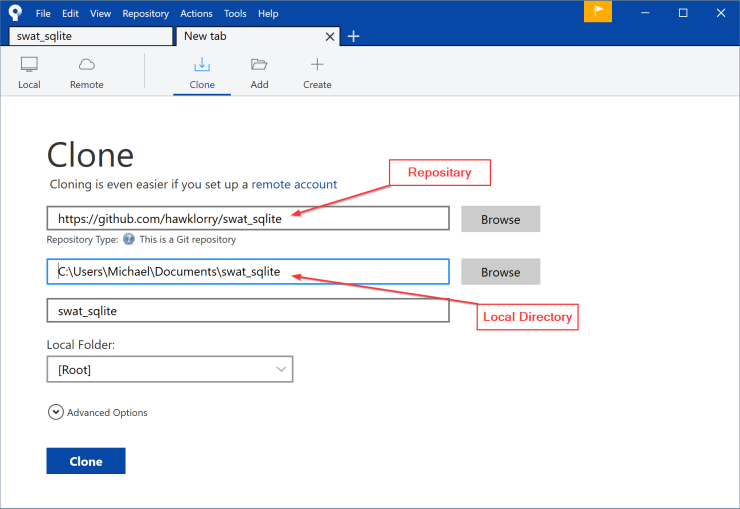
1. Clone the repository
Clone the swat_sqlite repository in SourceTree.
2. Create a branch
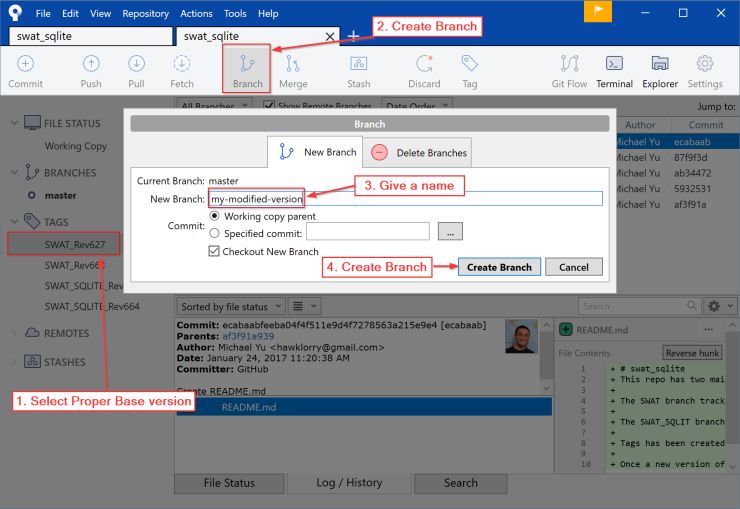
Create a branch based on the SWAT_Rev664 or SWAT_Rev627 tag, choosing the tag that matches your modified version.
3. Copy the modified source
Copy your modified code into the local directory selected in step 1 and overwrite the existing files.
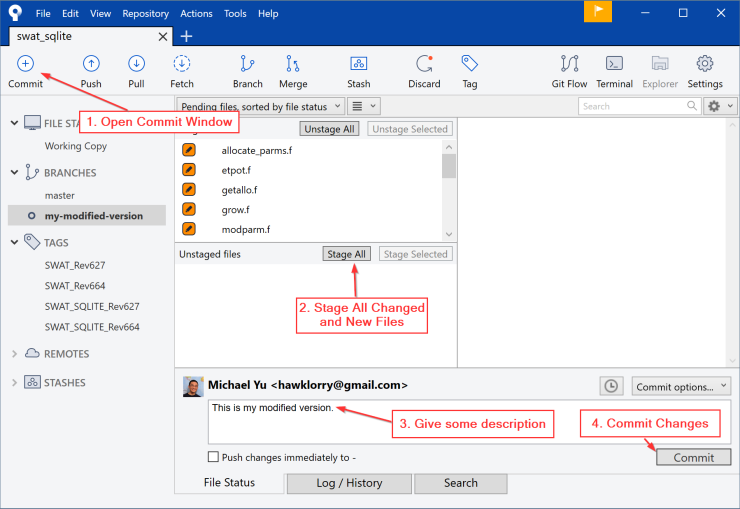
4. Commit the changes
Commit all modified source files before merging the viewer-compatible output changes.
5. Merge the SQLite branch
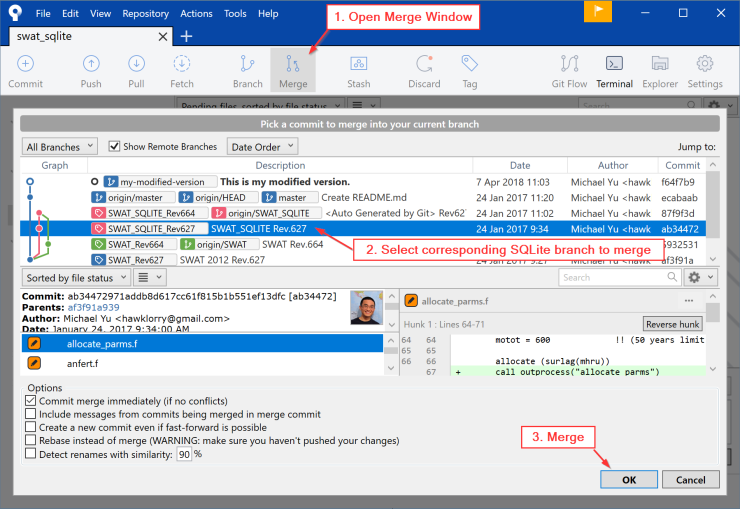
For SWAT revision 627, merge SWAT_SQLITE_Rev627. For revision 664, merge SWAT_SQLITE_Rev664.
6. Resolve conflicts
A conflict occurs when the same content was modified differently in the two branches. Review each conflict and choose the correct version. This example uses TortoiseGit for the visual merge.
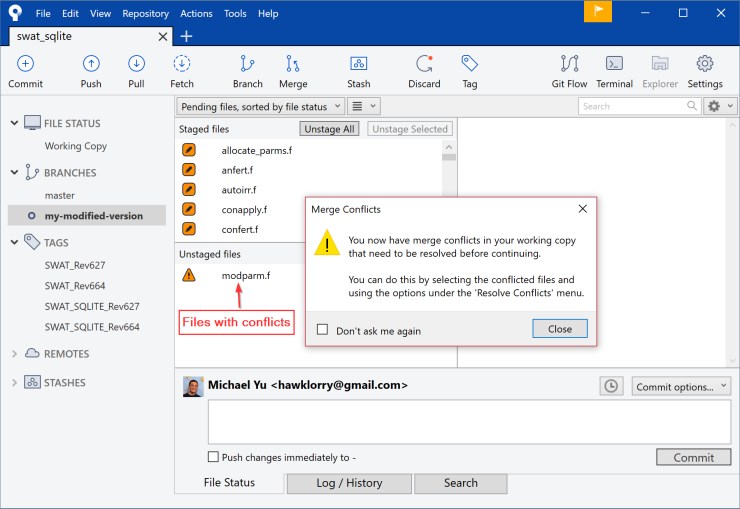
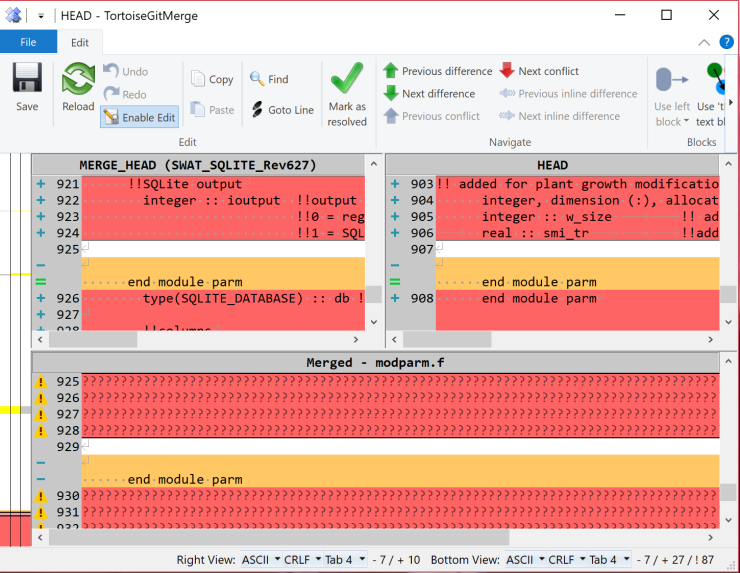
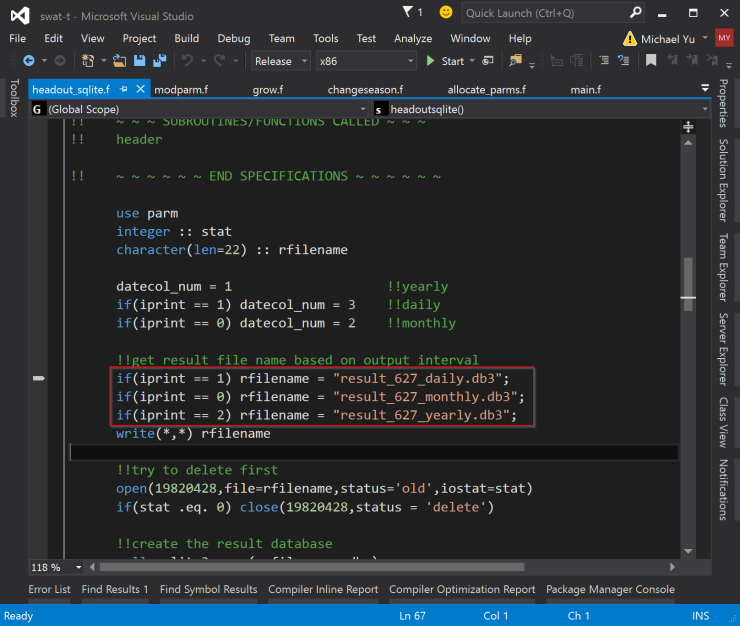
7. Name the result database
Give the result database a unique name in headout_sqlite.f.
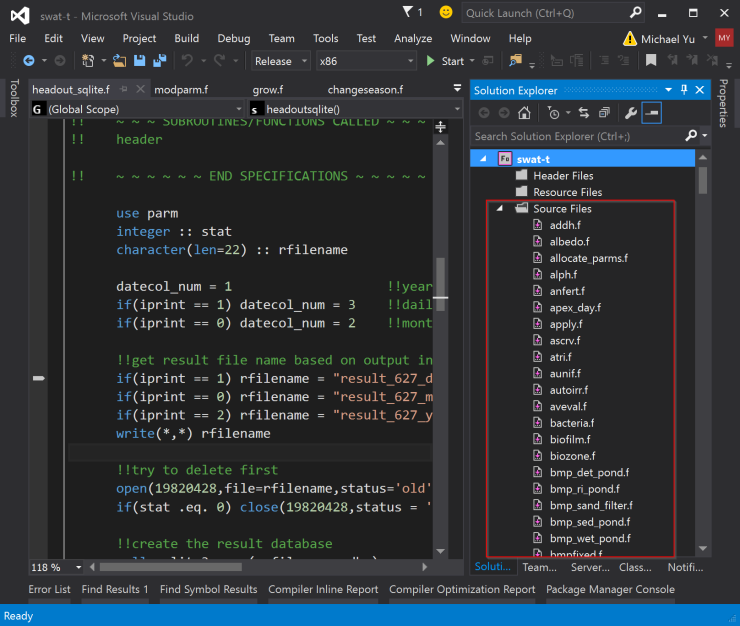
8. Create the Fortran project
Create a Fortran project with Intel Fortran and add all Fortran source files.
9. Create the SQLite static library
Create a static library for SQLite and add sqlite3.c, sqlite3.h, and csqlite.c.
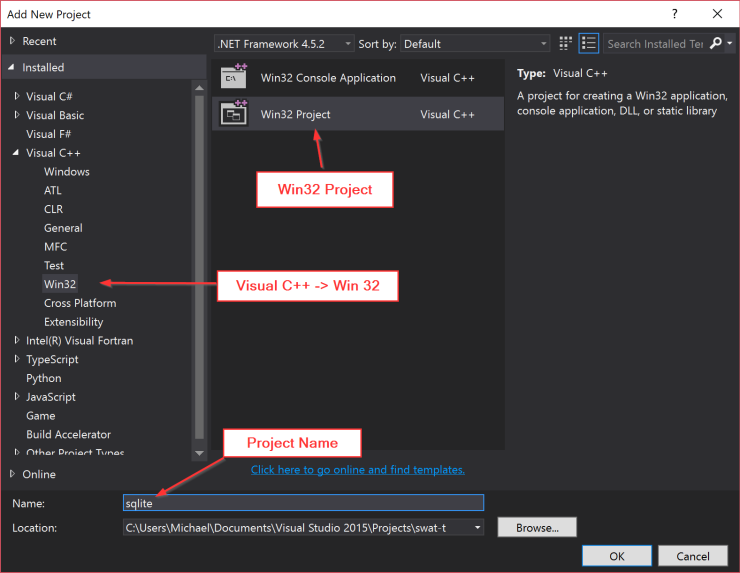
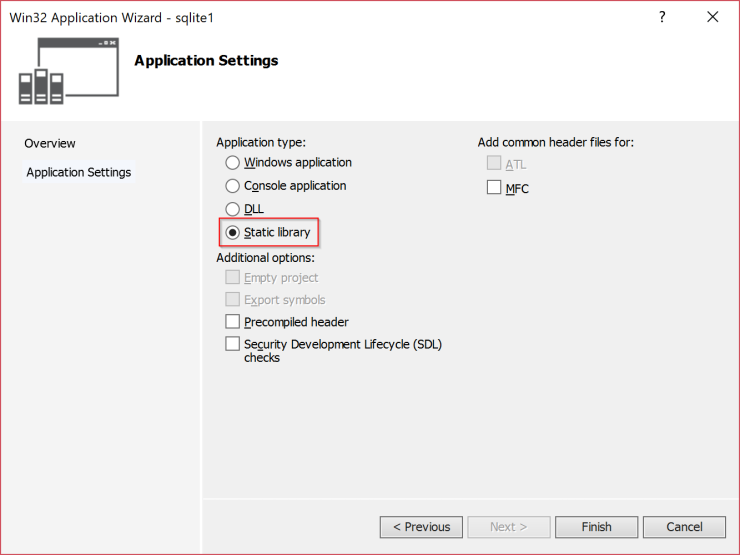
10. Set the project dependency
Open the solution properties and configure the Fortran project to depend on the SQLite static-library project.
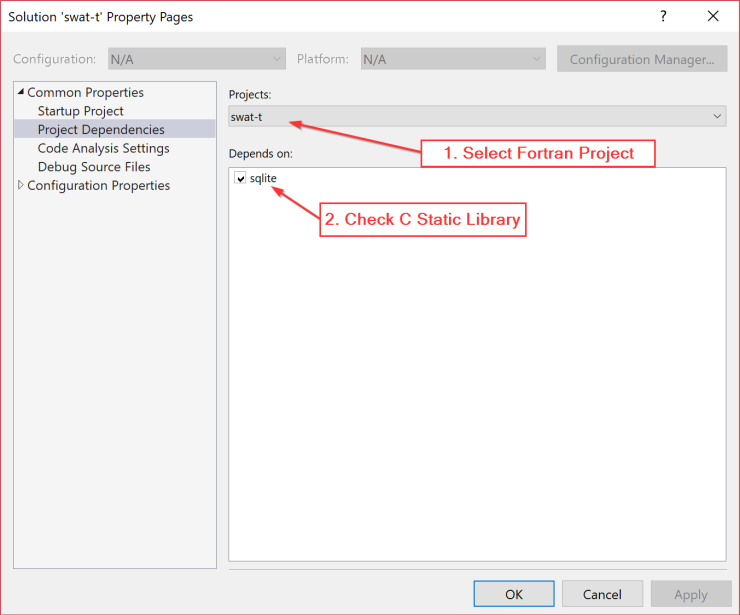
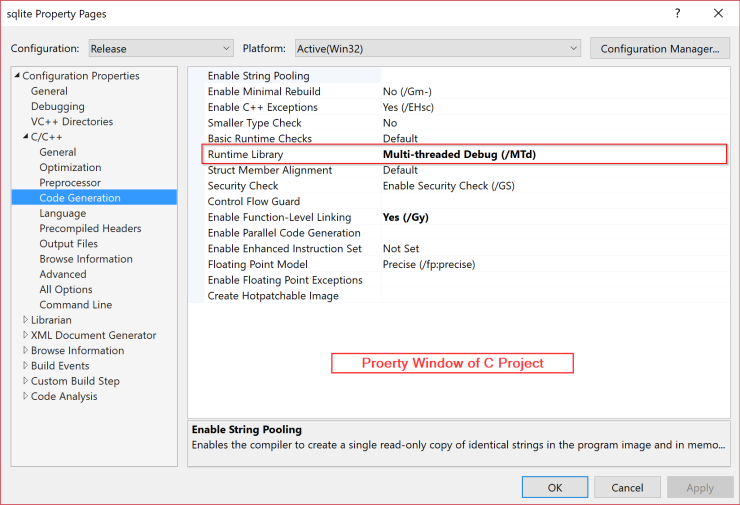
11. Configure runtime libraries
Configure compatible runtime-library settings for both the Fortran and C projects.
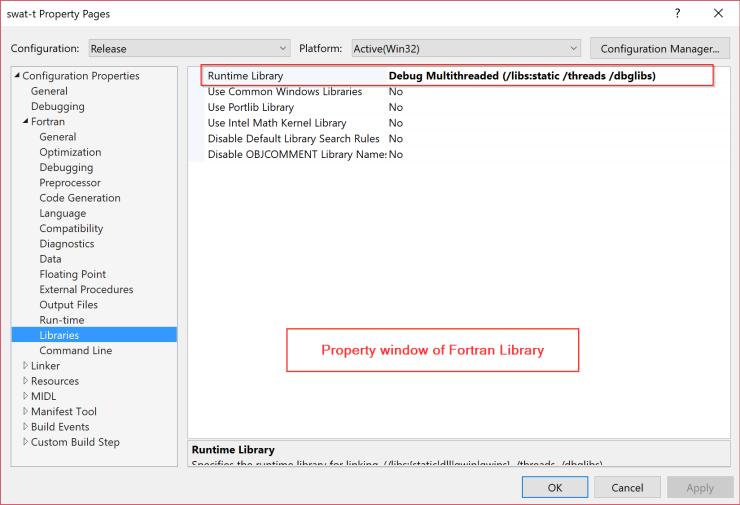
12. Compile the executable
Compile the solution and place the resulting executable in the swat_exe folder.
13. Enable the modified engine
If the viewer does not recognize the modified version automatically, contact support@swatviewer.com for assistance enabling it.