User manual
Comparing with Other Model Engine or Scenario
Compare two engines or scenarios and identify where their component-level outputs differ most.
The impact of different engine and scenario could be evaluated in Difference View (Figure 8-1). R2 is used as the indicator for difference.
To check the difference for a variable, first select the variable by choosing the type of SWAT component (HRU, Subbasin, Reach and Reservoir) and then select the variable from the Variable List. The interface will extract time series data from two outputs and then calculate R2 for all SWAT components. The results are shown in the graph and table. In graph, the x-axis is the ID of SWAT components and y-axis is R2. In the table, the SWAT components with most difference (smallest R2) could be found by double-clicking on column R2.
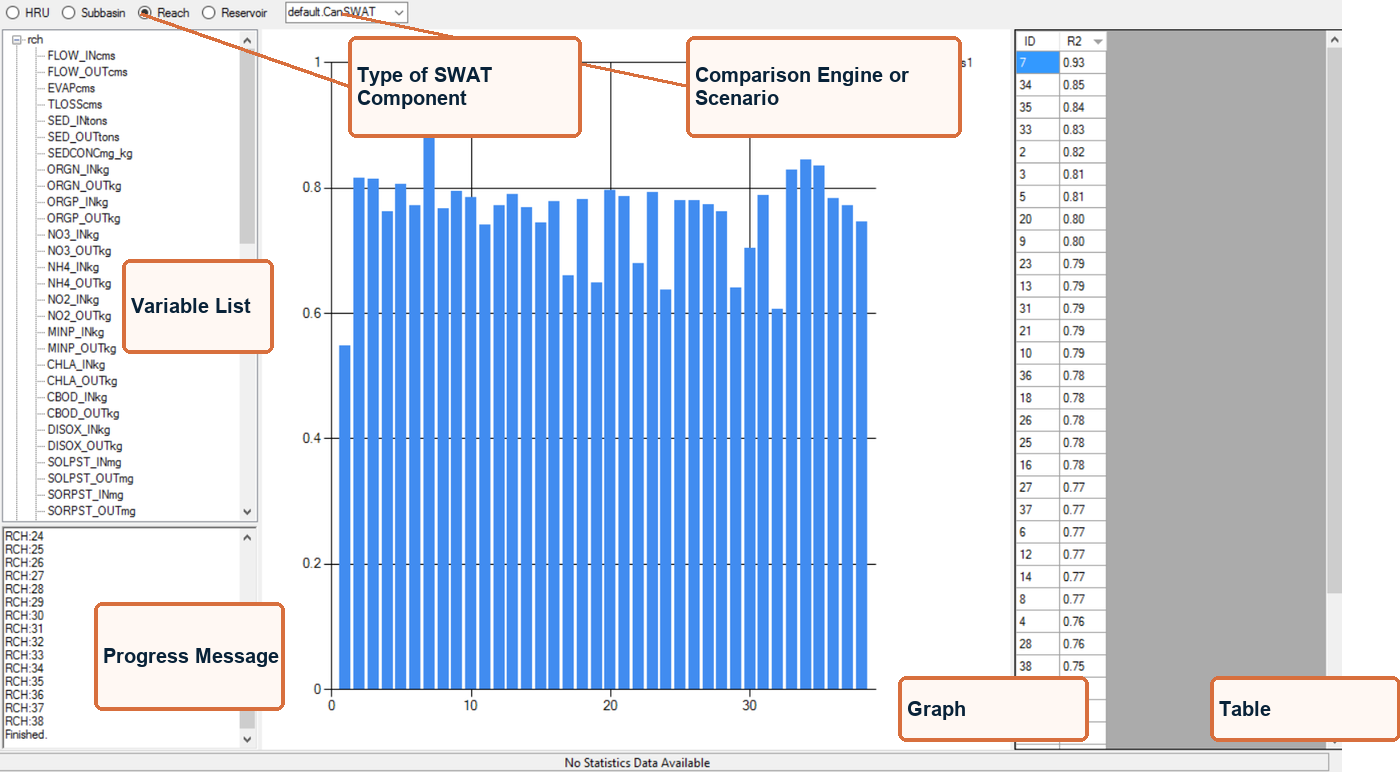
Figure 8-1. Difference View