User manual
SWAT Project
Organize scenarios, model input files, and watershed shapefiles in the project structure expected by the viewer.
A SWAT project is a folder with the structure as shown in Figure 3-1. The model input files are in txtinout folder and the watershed shapefiles are in shapes folder. The folder names shouldn’t be changed except the scenario name folder. A scenario is a folder in scenarios folder and has sub-folder txtinout holding all model input files. Multiple scenarios could be created in scenarios folder.
This structure is compatible with both ArcSWAT project and QSWAT project. In cases where ArcSWAT and QSWAT is not used, users need to create the folder structure manually. For more details, please watch Youtube video Folder Structure of a SWAT Project and Manually Create SWAT Project to Use SWAT Viewer.
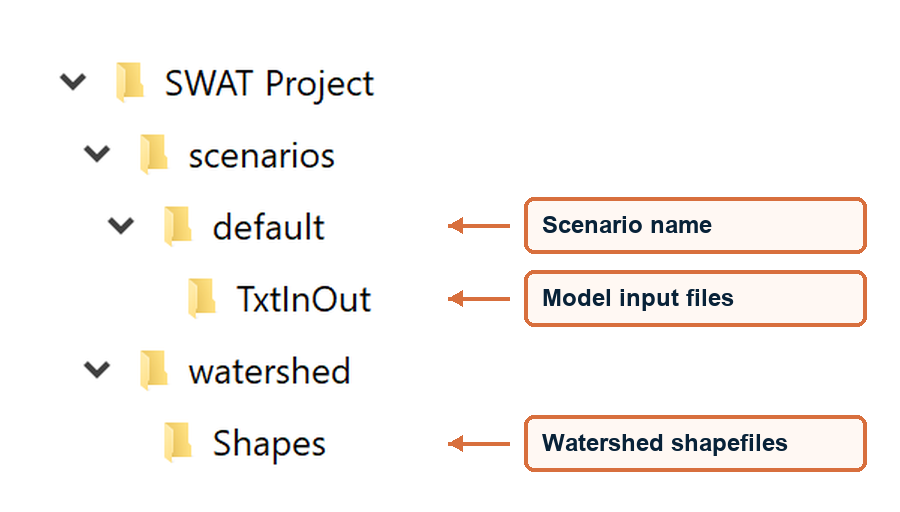
Figure 3-1 Folder Structure of a SWAT Project