Tutorials
Tutorial #3: Load Observed Data
Import monitoring data for comparison and performance evaluation.
Observed data can be loaded into SWAT Output Viewer for comparison with simulation results and model-performance evaluation. You only need to load the data once; it is then shared by all scenarios in the project.
Observed Data File Format
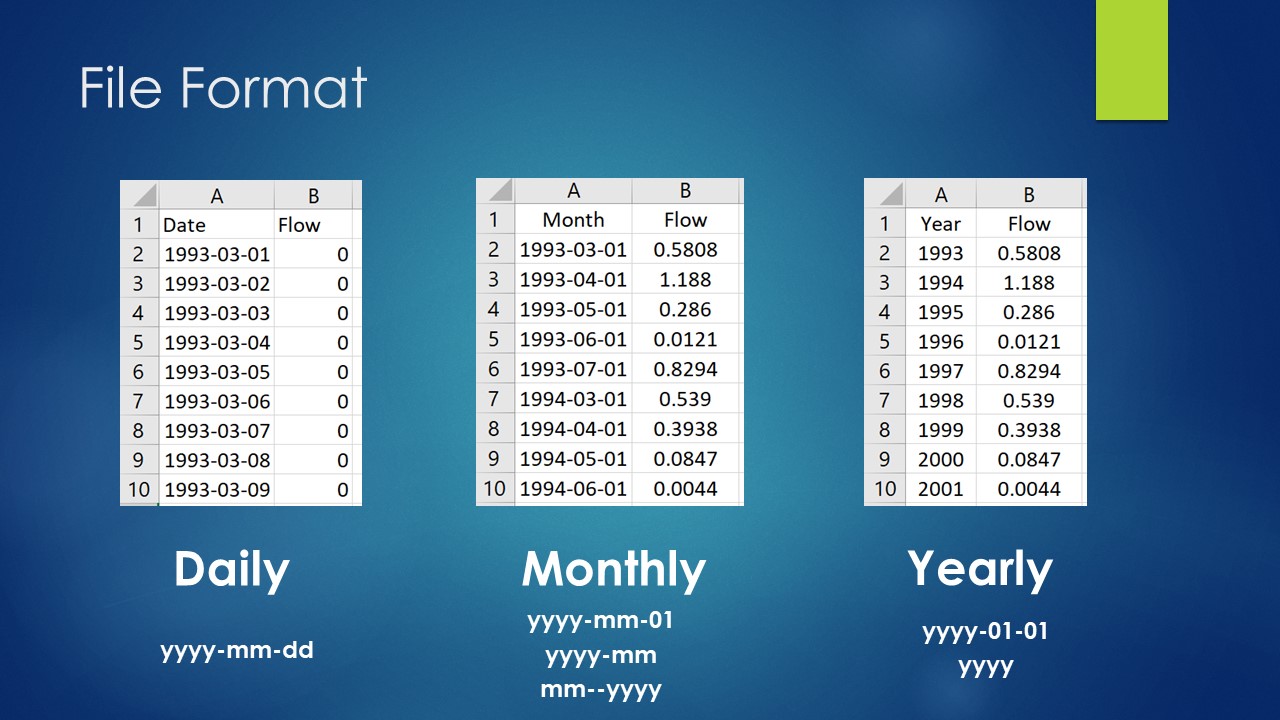
Use a simple two-column CSV file. The first row is a header and is not read. The first column contains the date in a supported format, and the second contains the observed value for the selected time step.
Steps to Load Observed Data
Follow these steps to load a monitoring dataset:
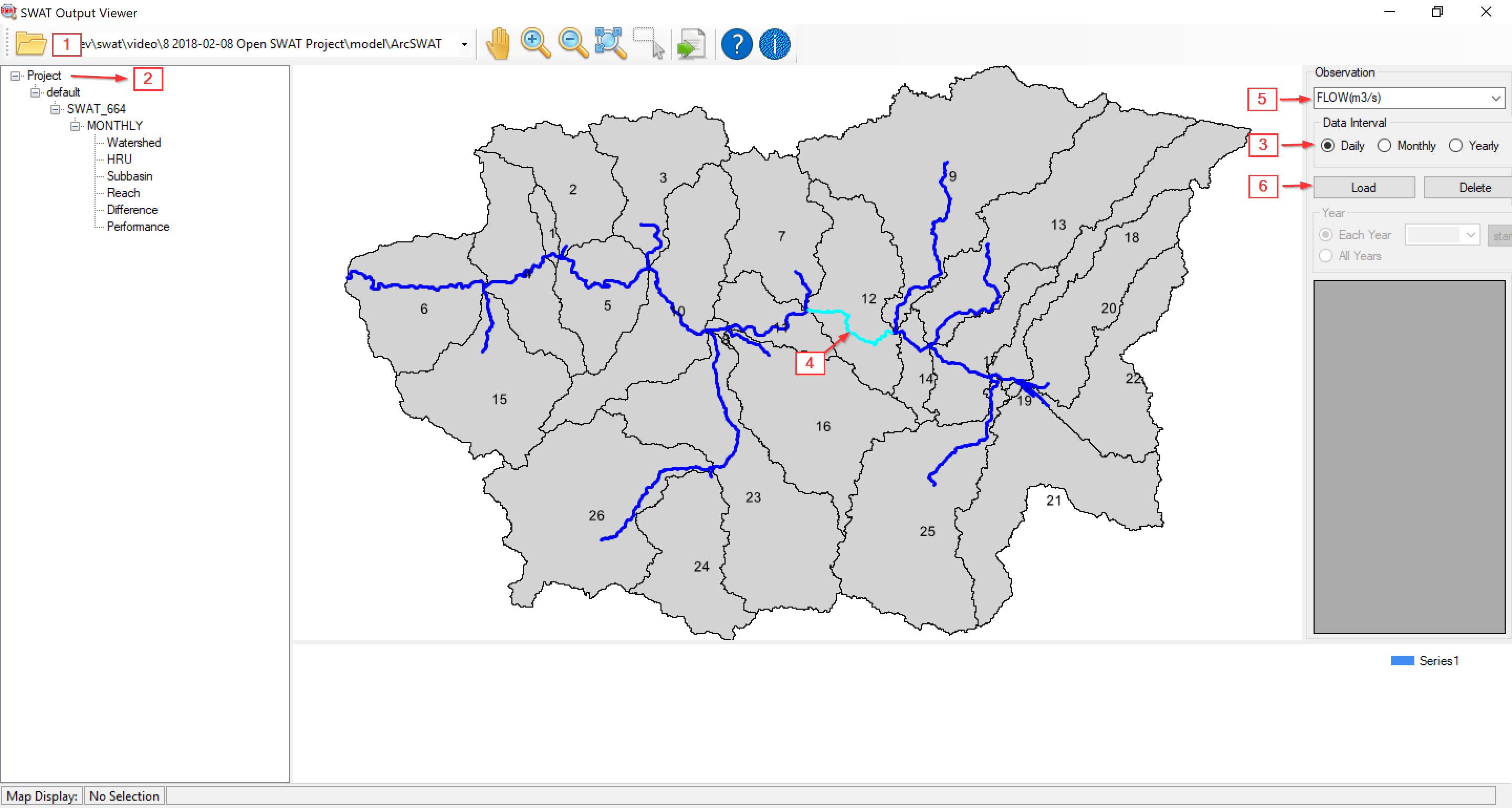
- Open your SWAT project.
- Select Project (the top level) in Project Explorer.
- Select the time interval in the right panel.
- Select a reach or reservoir on the map.
- Select the observed-data type in the right panel.
- Use the Load button to select the observed-data file.
Observed Data Viewing Tools
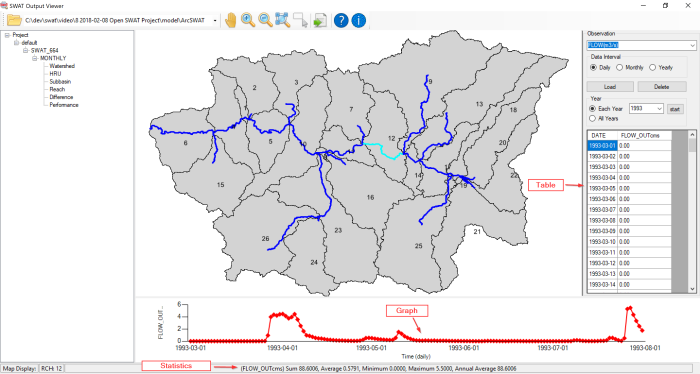
Loaded observations can be viewed for all years or for a selected year.
Table
The table on the right displays the selected time series. To maintain performance, datasets containing more than 1,000 values are not shown in the table.
Graph
The graph at the bottom displays the selected dataset.
Statistics
Basic statistics for the selected dataset appear in the status bar.
Observed Data Database
Once loaded, observed data is saved in the Scenarios folder of the SWAT project and shared by every scenario in that project.
A separate database is created for each time step, with up to three database files for daily, monthly, and yearly observations.
Saved observations load automatically whenever simulation results are opened.